







About
the other method to trace an image
here is another way
if you think it is looking flat I will be showing how to use gradient mesh in another tut. very soon
You Will Need
-
 Step 1
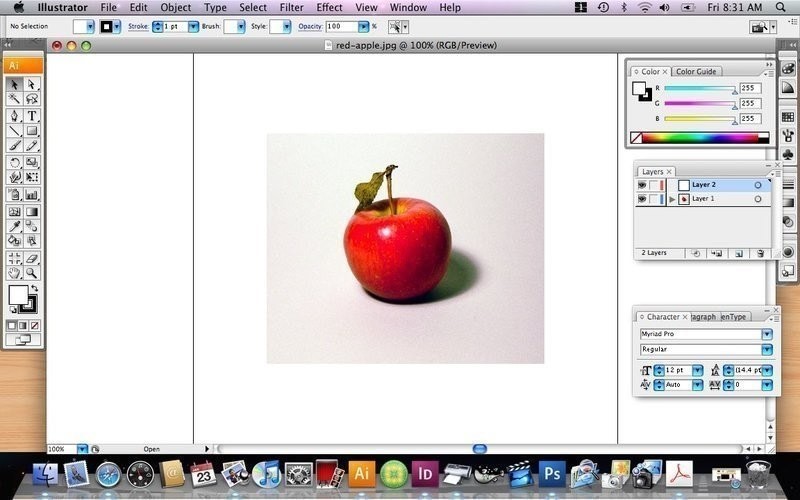
open illustrator and find your image you want to trace
file>open
-
 Step 2
in the layers pallet make a new layer and lock the layer with the image on it
-
 Step 3
select the pen tool from the tool bar
find a spot on the image and click on the screen
-
 Step 4
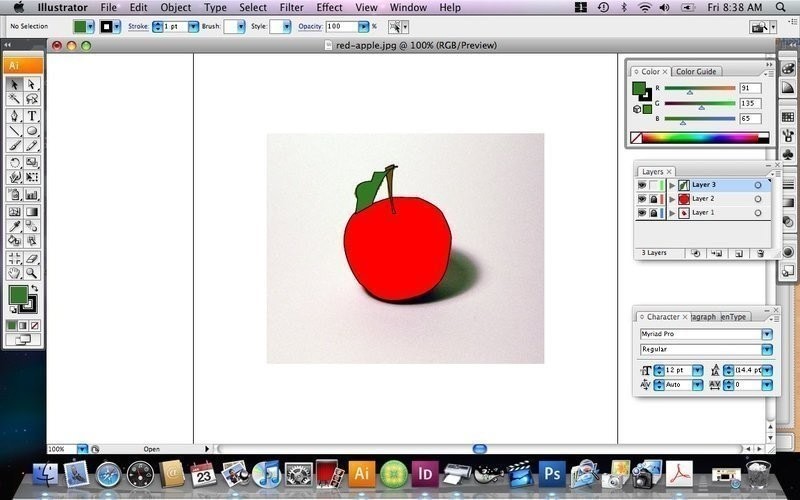
start to trace around the image
-
 Step 5
now pick a colour you want and fill in the image
-
 Step 6
using another layer, draw the stalk and leaf
-
 Step 7
your right, the image does look a bit funny,
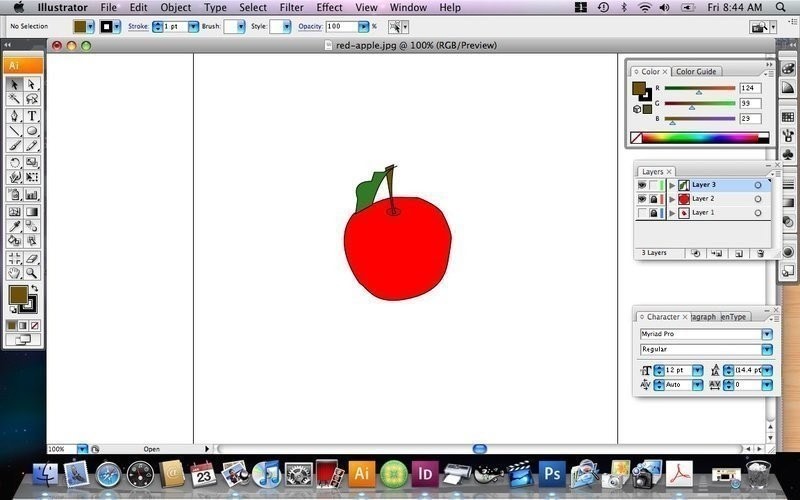
we need to add a pit
go to the tools bar and click on the shap button and select the circle.
we are going to create a pit for the apple
-
 Step 8
now the circle should not be on top of the stalk
click on the part that should be on top and
go
object>arange>bring to front
-
 Step 9
now over in the layers
click on the eye icon on the image layer to make it invisible
-
 Step 10
now you have your apple
now save your file
file>save as






 1
Watercolor Art »
Watercolor Paints Made From Make Up
1
Watercolor Art »
Watercolor Paints Made From Make Up