




About
An easy guide on how to install fonts :)
-
 Cortney R. favorited Installing Fonts
17 Nov 21:36
Cortney R. favorited Installing Fonts
17 Nov 21:36
-
 George S. favorited Installing Fonts
28 Dec 23:48
George S. favorited Installing Fonts
28 Dec 23:48
-
 Step 1
Go to http://www.dafont.com/ and choose a font you like. I picked Champagne & Limousines. Click on download.
-
 Step 2
You get to see this. Click open, you don’t need to save it.
-
 Step 3
Select the .ttf files. Open the control panel.
-
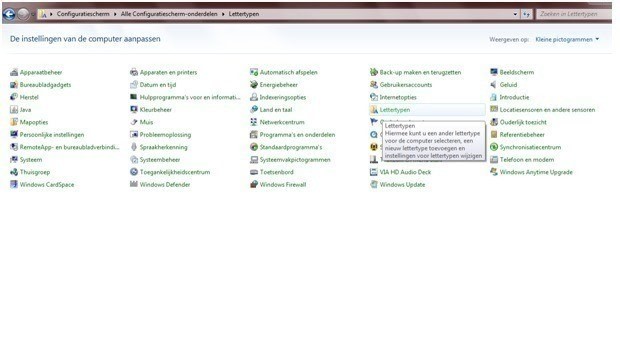
 Step 4
I get to see this. It’s Dutch for me though. Open “fonts”.
-
 Step 5
You get to see something like this. Open the .zip file you just downloaded, and move the selected files into this folder.
-
 Step 6
Let it install.
-
 Step 7
And there it is!
-
 Step 8
You can go to word, paint, and whatever other program you use to write and use your new font! At msn it doesn’t always work however, if the person you’re talking to doesn’t have the same font, he/she won’t be able to see the one you downloaded. He/She will see a font everyone has, like arial or so. The fonts will only work at the computer you installed it at, so don't use them for a powerpoint you gotta show at school, like I did. It won't work and your whole powerpoint will look ugly.





CO + K User