
Log in or Sign up to remove sponsor

You Will Need

5 minutes
Pretty Easy

How To Make 3 D Waves On Tux Paint

  • Completed Project: How To Make 3 D Waves On Tux Paint Picture #1
  • Completed Project: How To Make 3 D Waves On Tux Paint Picture #2
  • Completed Project: How To Make 3 D Waves On Tux Paint Picture #3

Who knew a children's program could be so fun!
 <  Image 1 of 3  > 

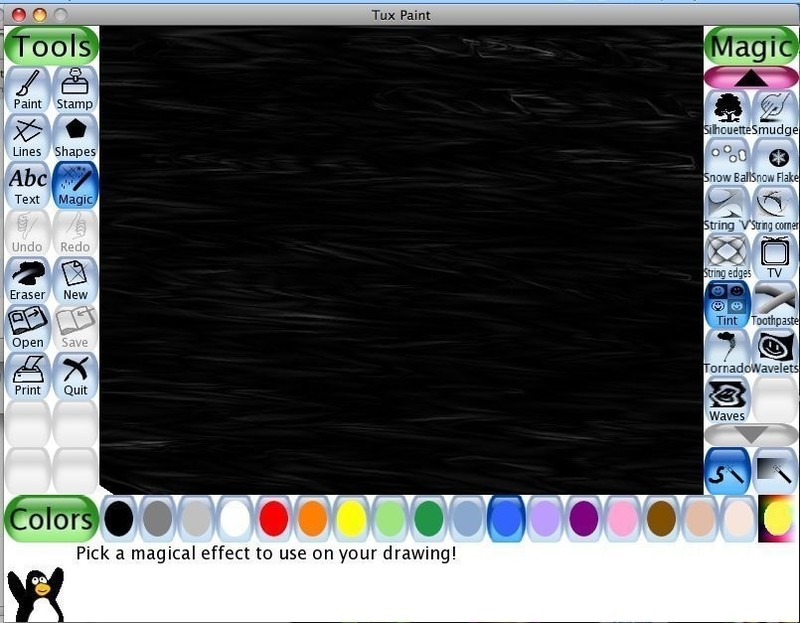
Here is a cute little tutorial on making 3-D waves on Tux Paint, a children's version of photoshop.

If you like, when you are done you may use the negative tool in the magic section and spread it all around so it's covered and it will look like the second picture if you add some tint in the magic section. Don't let go of the mouse when you do either of these!

Share on: Facebook | Twitter | StumbleUpon

Add to a List Add to Favorites Add Your Version


  1. Step 1

    Step 1

    First, use "rainbows" in the magic section. You can make any design as long as it has no white spots.

  2. Step 2

    Step 2

    Next, use the smudge tool in the magic section and smudge it horizontally all the way down.


  3. Step 3

    Step 3

    Next use the silhouette tool in the magic section and cover it all up so it looks like this. Don't let go of the mouse when you do this!

More from DrawingSee All »
  • Draw A Basic Standing LadyHow To
  • Draw A Back VeiwHow To
  • Express Yourself To The World Through ChalkHow To
  • How To Make 3 D Waves On Tux PaintHow To
  • Draw Baggy PantsHow To

See more Painting

People who love this project (2)See All »

Leave a Comment

Sorry...

You need to Sign Up and log in to leave comments


CRaFt! Posted By:
CRaFt! »
October 09, 2009 09:11
Hr

See the projects A-Z »


Advertise here

Hr

Hr

Popular tags: Dressmaking / Tailoring, Revamping, Painting & Decorating, Christmas, Decorating, Gothic, Clothing & Fabric, and Beadwork

Hr

Get the latest projects!
Fbpage Become a Fan on Facebook
or
Follow us on Twitter